 LingoDuet
Talk to anyone.
No internet needed.
LingoDuet translates face-to-face conversations in real time — entirely on your iPhone. Place the phone between two speakers, press to talk, and hear the translation instantly.
Private. Offline. Instant.
Built for people who need to communicate across languages — without handing their voice to a cloud server.
Privacy Policy-
100% On-Device
Your voice never leaves your iPhone. Speech recognition, translation, and text-to-speech all run locally using Apple's Neural Engine.
-
Works Offline
After a one-time model download, LingoDuet works on a plane, in a remote village, or anywhere without a signal.
-
Designed for Two
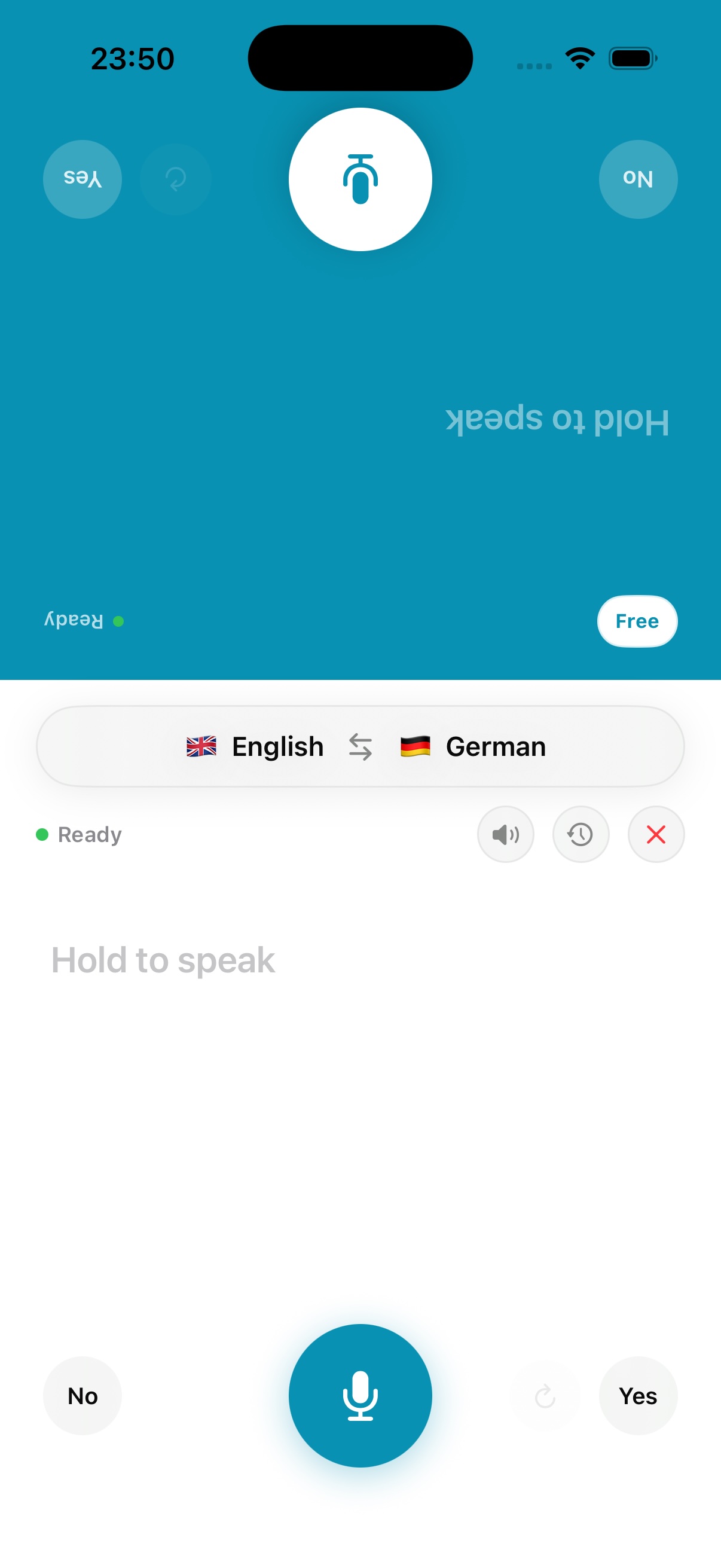
Place the phone on a table. The screen splits in two — each person reads their translation in their own orientation.
-
Listen Mode
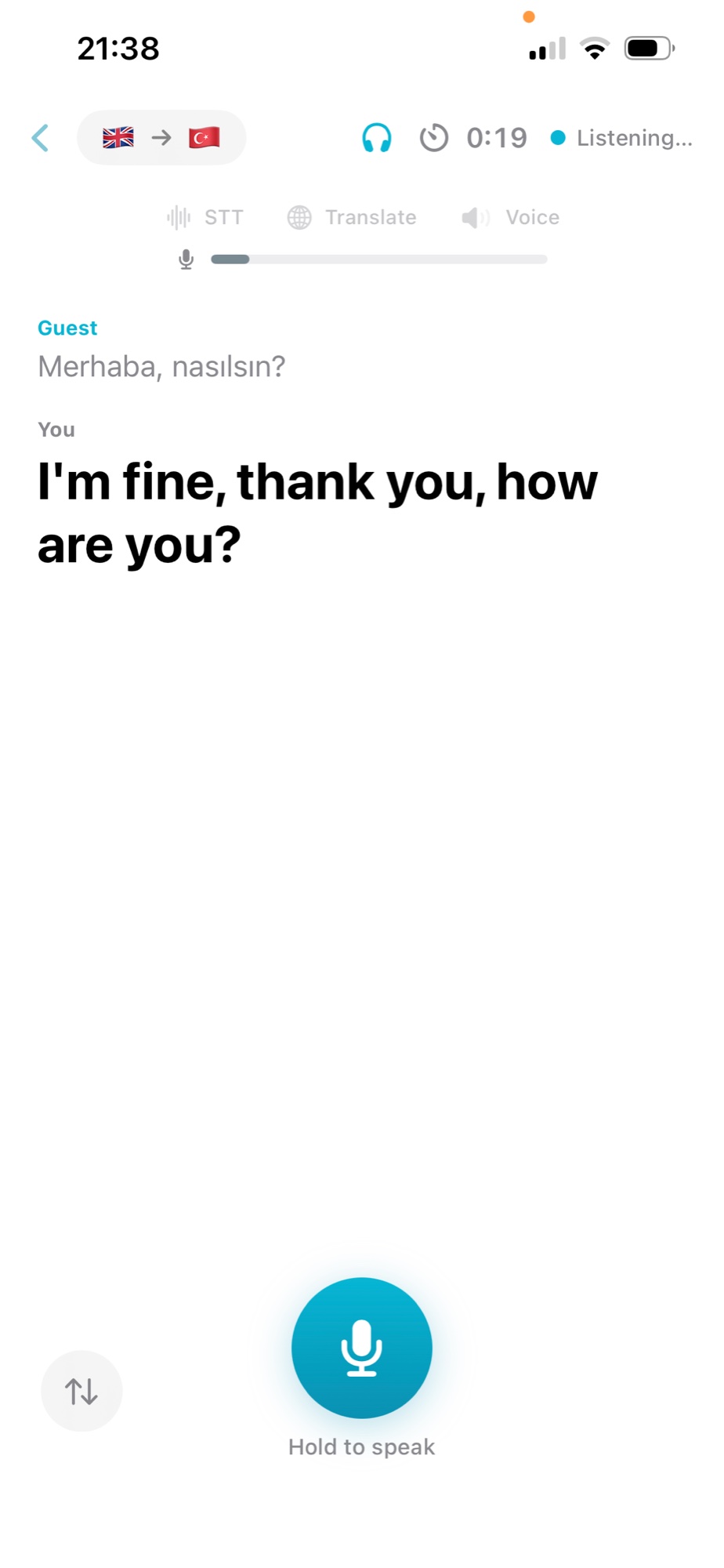
Tour guides, lectures, announcements: LingoDuet keeps listening and translates every sentence as it's spoken — no buttons, no waiting.
-
Any Headphones
Works with AirPods, Bluetooth earbuds, or just the built-in speaker. No proprietary hardware required.
-
Low Latency
Under 3 seconds from end of speech to translated audio playback — fast enough for a natural conversation flow.
-
15 Languages
English, Turkish, Spanish, German, French, Chinese, Japanese, Arabic, Hindi, Portuguese, Russian, Korean, Italian, Polish, Dutch.
How it works
-
Set your language pair
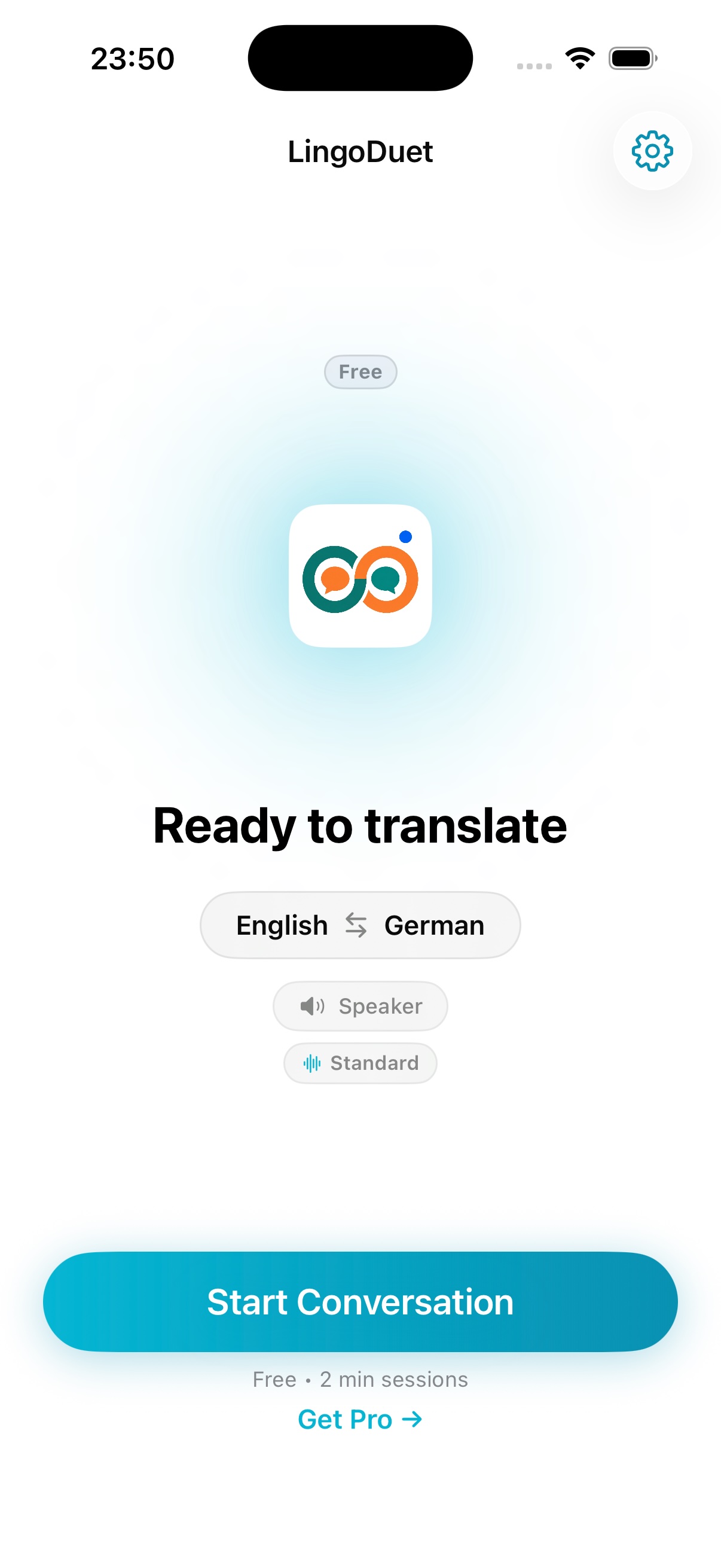
Choose your language and your conversation partner's language from 15 supported options. You can change the pair at any time during a conversation.
-
Place the phone between you
The screen divides into two panels — one for you (bottom) and one for your conversation partner (top, rotated 180°). Each person sees their translations in the right orientation.
-
Press and speak
Hold the Push-to-Talk button on your side while speaking. Release when done. LingoDuet transcribes your speech, translates it, and reads it aloud in the other person's language — within seconds.
-
Hear the translation
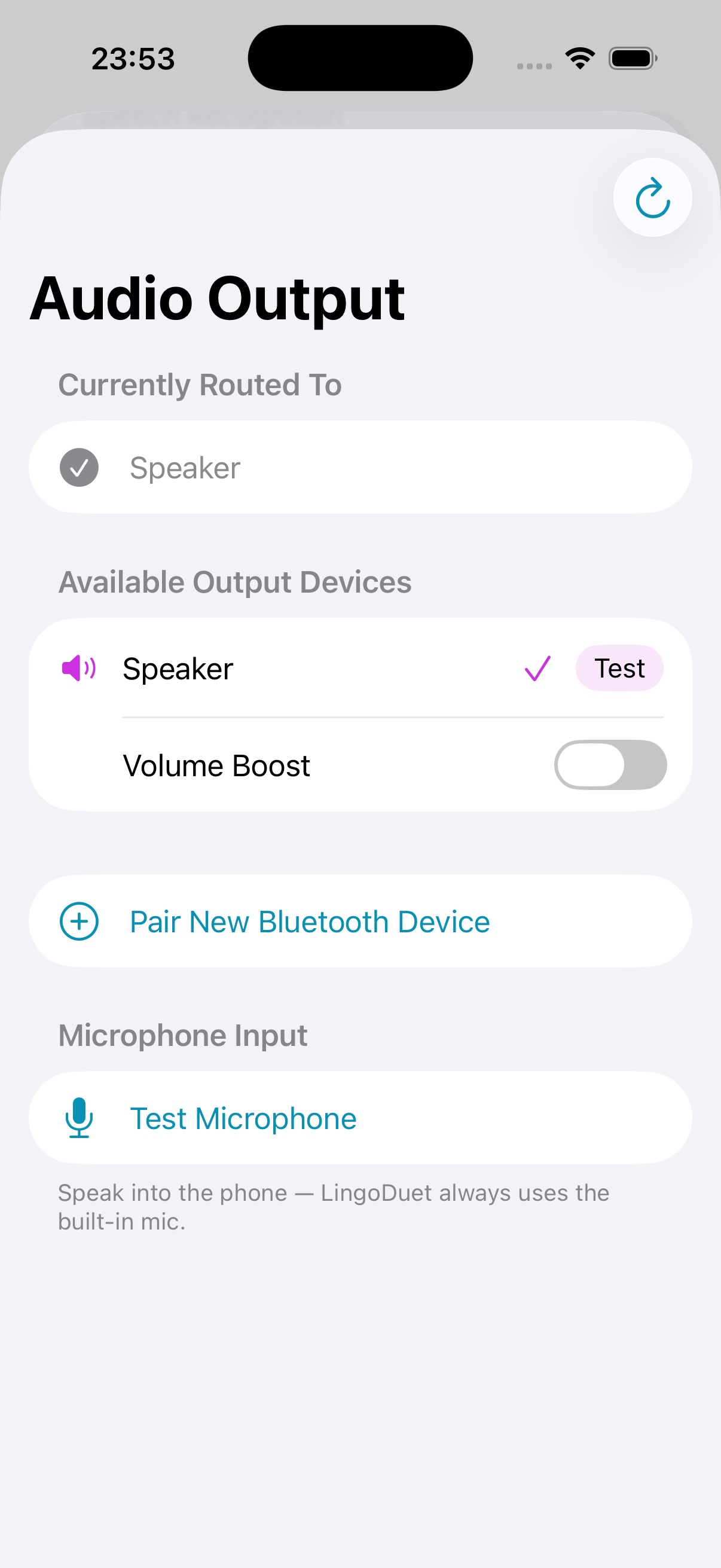
Audio plays through the speaker or your Bluetooth headphones. Use the Volume Boost option for noisy environments. Optionally route translations privately to earbuds so only you hear the other person's translation.
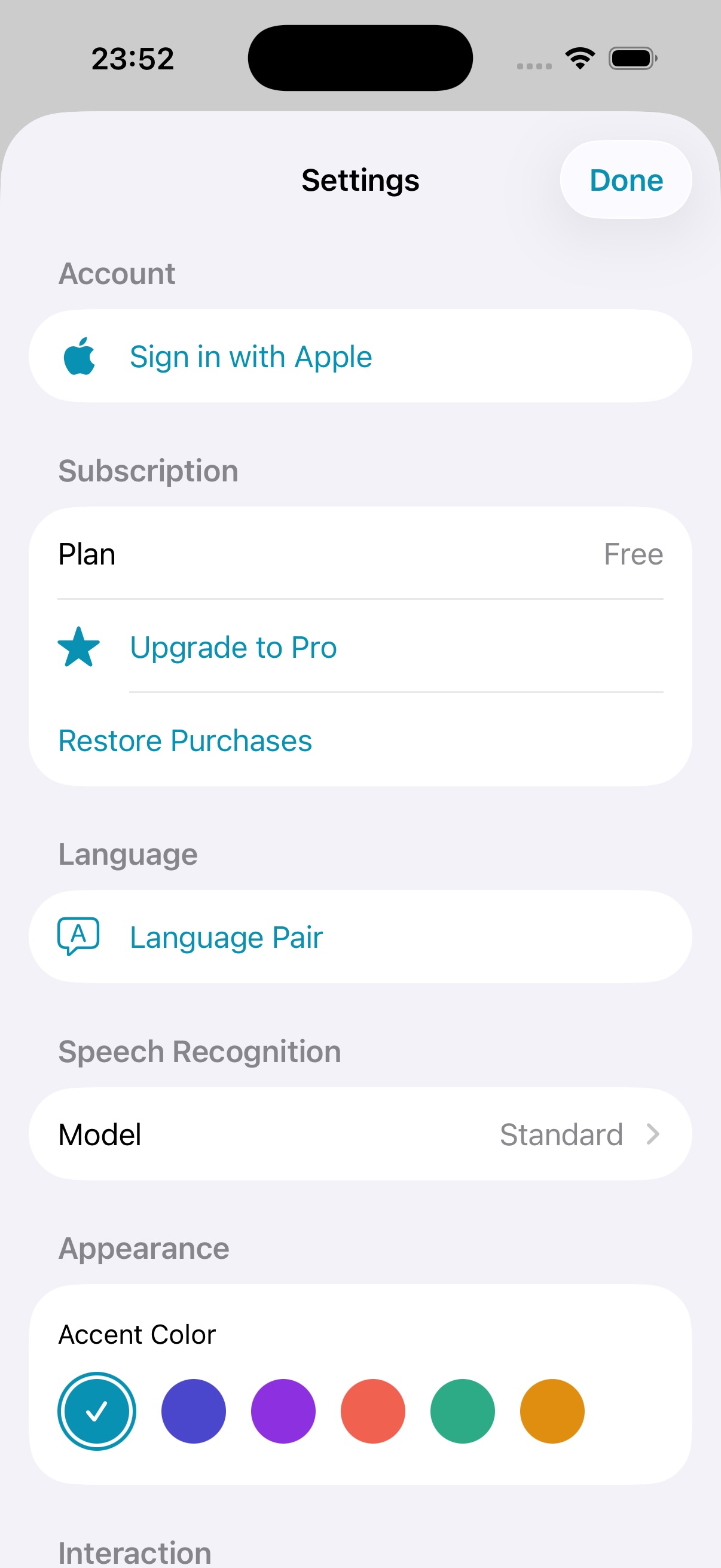
See it in action
A clean, focused interface built for real conversations.
Supported languages
All 15 languages work in any combination — translate between any pair.
- EN English
- TR Turkish
- ES Spanish
- DE German
- FR French
- ZH Chinese
- JA Japanese
- AR Arabic
- HI Hindi
- PT Portuguese
- RU Russian
- KO Korean
- IT Italian
- PL Polish
- NL Dutch
Pricing
- 1 language pair
- 2 min/session
- All translation modes
- Full audio device selection
- Listen Mode: 60-second trial
- Short ad between sessions
- All 15 language pairs
- Unlimited session time
- Standard & Enhanced models
- All translation modes
- Unlimited Listen Mode
- Full audio device selection
- No ads
- All 15 language pairs
- Unlimited session time
- Standard & Enhanced models
- All translation modes
- Unlimited Listen Mode
- Full audio device selection
- No ads
User Guide
Getting Started
- Download LingoDuet from the App Store
- On first launch, grant microphone access when prompted
- Download the translation engine (one-time, ~80–250 MB depending on model choice)
- Select your language and your partner's language on the home screen
- Tap Start Conversation
Push-to-Talk Mode
- Press and hold the microphone button on your side of the screen while speaking
- Release when you finish — translation begins immediately
- Your conversation partner does the same on their side
- Both panels show a running transcript of the conversation
Listen Mode
- On the home screen tap Start Listen (below Start Conversation)
- Point the phone's microphone toward the speaker — LingoDuet listens continuously, no button needed
- The indicators at the top show each sentence being recognized, translated and spoken
- Hold the microphone button to reply; use the ⇅ button to swap language direction
- Free accounts get a 60-second Listen Mode trial; Pro is unlimited
Audio Setup
- Go to Settings → Audio Output to choose your speaker or Bluetooth device
- Enable Volume Boost when the built-in speaker is selected and the environment is noisy
- Set My Listen Device to your earbuds so you hear the guest's translation privately
- Tap Test next to any device to confirm audio routing before starting
Bluetooth Headphones
- Pair your Bluetooth device in iOS Settings → Bluetooth before opening LingoDuet
- Open Audio Output in LingoDuet Settings and select your device
- If a device disconnects mid-conversation, a banner appears with options to continue or switch devices
- LingoDuet always uses the built-in microphone regardless of Bluetooth output
Tips for Best Results
- Speak clearly and at a normal pace
- In noisy environments, use headphones and enable Volume Boost
- Hold the phone or place it on a flat surface; avoid covering the microphone
- If translation seems off, verify the correct language pair is selected
Frequently asked questions
Does LingoDuet need an internet connection?
Only once, to download the speech and translation models (about 80–250 MB). After that, translation works fully offline — on a plane, abroad, or anywhere without a signal.
Is my voice sent to the cloud?
No. Speech recognition, translation and text-to-speech all run on your iPhone, and your conversations are not uploaded. See the Privacy Policy for details, including the ads shown in the free tier.
Which languages does LingoDuet support?
15 languages in any combination: English, Turkish, Spanish, German, French, Chinese, Japanese, Arabic, Hindi, Portuguese, Russian, Korean, Italian, Polish and Dutch.
Is LingoDuet free?
You can use it for free with one language pair and shorter sessions. Pro (monthly or annual) unlocks all 15 languages, unlimited session time and removes ads.
Which iPhones are supported?
LingoDuet requires iOS 18 or later.
What is Listen Mode?
Listen Mode translates a guide, lecture or announcement continuously while it is spoken — no push-to-talk needed. You can still reply by holding the microphone button. Free accounts can try it for 60 seconds; Pro is unlimited.
Talk to anyone.
No internet needed.